

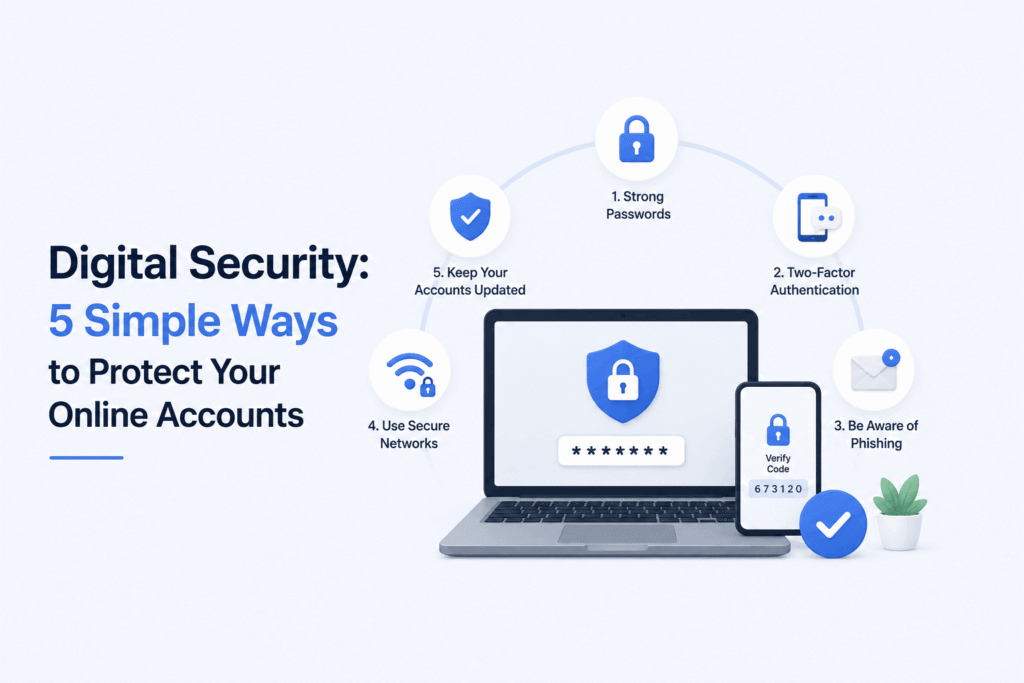
In today’s hyper-connected world, our lives are stored in the cloud. From personal photographs and private messages to banking credentials and professional emails, our digital footprints contain sensitive data that requires continuous protection. As technology evolves, so do the tactics of cybercriminals—ranging from sophisticated phishing scams to automated password-guessing bots.
While cyber threats can sound intimidating, securing your digital footprint doesn’t require a degree in cybersecurity. By adopting a few essential habits, you can lock down your personal data and significantly reduce your risk.
Here are 5 simple, highly effective ways to protect your online accounts today.
1. Enable Two-Factor Authentication (2FA) Everywhere
If you only implement one security measure from this guide, make it Two-Factor Authentication (2FA).
2FA adds an extra layer of defense by requiring two distinct forms of identification before granting access to your account:
- Something you know: Your standard password.
- Something you have: A temporary physical code sent to your phone, generated by an app, or a physical security key.
Even if a hacker manages to steal or guess your password, they won’t be able to log in without that second verification step.
Pro Tip: Whenever possible, choose an Authenticator App (like Google Authenticator, Authy, or 1Password) over SMS-based codes. Phone numbers can sometimes be targeted via “SIM-swapping” attacks, whereas authenticator apps remain tied directly to your physical device.
2. Ditch Simple Passwords and Use a Password Manager
Using predictable passwords like Password123, Name@2024, or your birthdate is the digital equivalent of leaving your front door unlocked. Equally dangerous is reusing the exact same password across multiple websites; if one site experiences a data breach, all your other accounts suddenly become vulnerable.
+-----------------------------------------------------------------------+
|                    PASSWORD DOS AND DON'TS                            |
+------------------------------------+----------------------------------+
|               DON'T                |                DO                |
+------------------------------------+----------------------------------+
| • Reuse passwords across sites     | • Use unique 16+ character pass  |
| • Use personal details/dates       | • Mix letters, numbers, symbols  |
| • Store passwords in plain text    | • Use a trusted Password Manager |
+------------------------------------+----------------------------------+
The Solution: Password Managers
Memorizing dozens of complex, 16-character passwords is impossible for anyone. This is where a password manager (such as Bitwarden, 1Password, or Dashlane) comes in. It creates, securely stores, and auto-fills unique, complex passwords for every site you visit—requiring you to remember only one single “master password.”
3. Learn to Spot Phishing Attacks
Phishing remains one of the most common ways accounts are compromised. Instead of breaking through complex security systems, hackers simply trick users into willingly handing over their login credentials.
Phishing emails or messages often masquerade as legitimate companies—like your bank, Google, Facebook, or a shipping service—and claim there is an urgent problem with your account.
How to Spot a Phishing Attempt:
- Check the Sender’s Email: Look closely at the actual email address, not just the display name. A message claiming to be from Google sent from
support@googlereset-fix.comis fake. - Look for Artificial Urgency: Phishing messages often create panic, claiming your account will be “permanently deleted in 24 hours” if you don’t click a link immediately.
- Hover Before Clicking: Hover your mouse over links to preview the actual destination URL before clicking. If it looks suspicious, navigate directly to the official website in a fresh browser tab instead.
4. Be Cautious on Public Wi-Fi Networks
Free Wi-Fi at airports, cafes, or hotels is convenient, but public networks are inherently insecure. Unencrypted public networks allow attackers on the same network to potentially intercept your web traffic—a technique known as a “Man-in-the-Middle” (MitM) attack.
Safe Habits for Public Networks:
- Avoid Sensitive Transactions: Refrain from logging into your bank accounts, making online purchases, or entering passwords while on unsecured public networks.
- Use Mobile Data: When doing sensitive work on the go, switch off Wi-Fi and use your smartphone’s cellular hotspot instead.
- Use a Virtual Private Network (VPN): A reputable VPN encrypts your internet connection, rendering your online activity unreadable to anyone sniffing the public network.
5. Keep Software and Operating Systems Updated
We’ve all clicked “Remind Me Tomorrow” on a software update pop-up. However, postponing system updates leaves your devices exposed to known vulnerabilities.
Tech companies regularly issue updates not just to introduce new features, but to patch discovered security flaws. Cybercriminals keep track of these patched vulnerabilities and actively target outdated systems that haven’t applied the fix yet.
- Turn on Automatic Updates for your smartphone, computer operating system, web browsers, and critical apps.
- Audit your installed browser extensions occasionally and delete any you no longer use, as outdated plugins can also become entry points for malware.
Conclusion: Security is a Habit, Not a One-Time Setup
Achieving complete digital security doesn’t require complex technical knowledge. It is built on small, consistent habits. By setting up 2FA, using a password manager, staying alert to phishing attempts, avoiding insecure public Wi-Fi, and keeping your devices updated, you immediately elevate your defense above the vast majority of web users.
Take 15 minutes today to audit your most critical accounts—starting with your primary email and banking logins—and apply these security layers. Your future self will thank you.