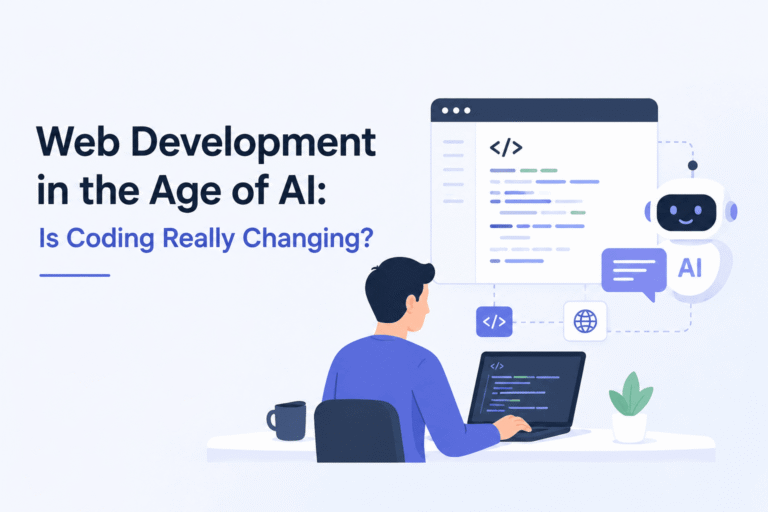
Web Development in the Age of AI: Is Coding Really Changing?

For decades, web development has followed a familiar formula: learn syntax, write HTML/CSS and JavaScript, construct logic, debug line by line, and deploy. However, the explosive rise of generative AI and intelligent code assistants has sparked a massive debate across the tech industry: Is coding as we know it coming to an end, or is it simply evolving into something far more powerful?

As artificial intelligence moves from basic autocomplete features to writing full-stack code, building user interfaces, and fixing bugs autonomously, web developers face a newly transformed landscape.

Here is a look at how AI is actively reshaping web development and what it really means for developers today and in the future.

1. How AI is Transforming the Development Workflow

AI is no longer just a theoretical concept in software engineering; it is an active pair programmer sitting right next to millions of developers.

  • Instant Code Generation: Modern AI assistants (like GitHub Copilot, ChatGPT, and Claude) can draft complex functional components, database schemas, and API endpoints from simple natural language prompts.
  • Automated Debugging and Refactoring: Instead of spending hours hunting down syntax errors or memory leaks, developers can feed error logs into AI tools to receive instant diagnostics and clean, refactored code.
  • UI-to-Code Conversion: Emerging visual AI tools can take a design prototype—or even a hand-drawn sketch—and automatically generate responsive frontend code using modern frameworks like React, Vue, or Tailwind CSS.

2. Is Coding Dying, or Is the Entry Barrier Shifting?

With AI writing clean code in seconds, a common fear has emerged: Will human coders become obsolete?

The short answer is no, but the nature of the job is undergoing a fundamental shift.

+-----------------------------------------------------------------------+
|                    THE SHIFT IN WEB DEVELOPMENT                       |
+------------------------------------+----------------------------------+
|      TRADITIONAL DEVELOPMENT       |        AI-EMPOWERED ERA          |
+------------------------------------+----------------------------------+
| • Writing syntax line-by-line      | • Guiding and directing AI tools |
| • Manual bug hunting & syntax logs | • System architecture & security |
| • Memorizing framework boilerplate | • High-level design & UX logic   |
+------------------------------------+----------------------------------+

Writing syntax is only a fraction of what a real software engineer does. AI can generate code snippets rapidly, but it lacks context, architectural judgment, and human intuition.

AI often produces code that looks correct but contains hidden edge cases, security vulnerabilities, or performance bottlenecks. Therefore, the role of a web developer is transitioning from a “code writer” to an “architect and reviewer.”

3. The Essential Skills for the Next Generation of Developers

To thrive in the AI-driven era of web development, developers need to pivot their skill sets toward high-level problem solving rather than simple syntax memorization:

1. System Architecture & Core Engineering

Understanding how databases scale, how microservices communicate, how state management works, and how to structure secure, scalable systems is more critical than ever. AI can write a function, but a human must design the overall ecosystem.

2. Prompt Engineering and AI Orchestration

Knowing how to phrase technical requirements, feed correct context, and guide AI models to produce optimal code is fast becoming a core developer competency.

3. Code Auditing & Cybersecurity

Because AI models are trained on massive public datasets, they can inadvertently introduce outdated practices or security flaws. Developers must be capable of reading, auditing, and hardening AI-generated code before pushing it to production.

4. User Experience (UX) and Business Logic

AI doesn’t understand your end user’s emotional experience or your company’s nuanced business goals. Translating complex business needs into intuitive, seamless user journeys remains a uniquely human skill.

4. The Rise of the “One-Person Tech Team”

Perhaps the most exciting outcome of AI in web development is the dramatic boost in individual productivity.

In the past, launching a full-scale web application required a specialized team: frontend engineers, backend developers, database administrators, and QA testers. Today, an ambitious full-stack developer equipped with AI tools can build, test, and deploy a complete web application in a fraction of the time.

AI acts as a force multiplier—allowing small teams and indie hackers to build product experiences that previously required entire engineering departments.

Conclusion: Adaptability Is the Ultimate Tech Skill

Is coding really changing? Absolutely. But change has always been the single defining constant of web development. We moved from raw HTML to jQuery, from jQuery to modern JavaScript frameworks, and now from manual coding to AI-assisted development.

AI is not replacing web developers; it is replacing traditional, slow development workflows. The developers who embrace these intelligent tools to automate mundane syntax and focus on high-level design, security, and user experience will not only survive—they will lead the industry forward.

Digital Security: 5 Simple Ways to Protect Your Online Accounts

In today’s hyper-connected world, our lives are stored in the cloud. From personal photographs and private messages to banking credentials and professional emails, our digital footprints contain sensitive data that requires continuous protection. As technology evolves, so do the tactics of cybercriminals—ranging from sophisticated phishing scams to automated password-guessing bots.

While cyber threats can sound intimidating, securing your digital footprint doesn’t require a degree in cybersecurity. By adopting a few essential habits, you can lock down your personal data and significantly reduce your risk.

Here are 5 simple, highly effective ways to protect your online accounts today.

1. Enable Two-Factor Authentication (2FA) Everywhere

If you only implement one security measure from this guide, make it Two-Factor Authentication (2FA).

2FA adds an extra layer of defense by requiring two distinct forms of identification before granting access to your account:

  • Something you know: Your standard password.
  • Something you have: A temporary physical code sent to your phone, generated by an app, or a physical security key.

Even if a hacker manages to steal or guess your password, they won’t be able to log in without that second verification step.

Pro Tip: Whenever possible, choose an Authenticator App (like Google Authenticator, Authy, or 1Password) over SMS-based codes. Phone numbers can sometimes be targeted via “SIM-swapping” attacks, whereas authenticator apps remain tied directly to your physical device.

2. Ditch Simple Passwords and Use a Password Manager

Using predictable passwords like Password123, Name@2024, or your birthdate is the digital equivalent of leaving your front door unlocked. Equally dangerous is reusing the exact same password across multiple websites; if one site experiences a data breach, all your other accounts suddenly become vulnerable.

+-----------------------------------------------------------------------+
|                    PASSWORD DOS AND DON'TS                            |
+------------------------------------+----------------------------------+
|               DON'T                |                DO                |
+------------------------------------+----------------------------------+
| • Reuse passwords across sites     | • Use unique 16+ character pass  |
| • Use personal details/dates       | • Mix letters, numbers, symbols  |
| • Store passwords in plain text    | • Use a trusted Password Manager |
+------------------------------------+----------------------------------+

The Solution: Password Managers

Memorizing dozens of complex, 16-character passwords is impossible for anyone. This is where a password manager (such as Bitwarden, 1Password, or Dashlane) comes in. It creates, securely stores, and auto-fills unique, complex passwords for every site you visit—requiring you to remember only one single “master password.”

3. Learn to Spot Phishing Attacks

Phishing remains one of the most common ways accounts are compromised. Instead of breaking through complex security systems, hackers simply trick users into willingly handing over their login credentials.

Phishing emails or messages often masquerade as legitimate companies—like your bank, Google, Facebook, or a shipping service—and claim there is an urgent problem with your account.

How to Spot a Phishing Attempt:

  • Check the Sender’s Email: Look closely at the actual email address, not just the display name. A message claiming to be from Google sent from support@googlereset-fix.com is fake.
  • Look for Artificial Urgency: Phishing messages often create panic, claiming your account will be “permanently deleted in 24 hours” if you don’t click a link immediately.
  • Hover Before Clicking: Hover your mouse over links to preview the actual destination URL before clicking. If it looks suspicious, navigate directly to the official website in a fresh browser tab instead.

4. Be Cautious on Public Wi-Fi Networks

Free Wi-Fi at airports, cafes, or hotels is convenient, but public networks are inherently insecure. Unencrypted public networks allow attackers on the same network to potentially intercept your web traffic—a technique known as a “Man-in-the-Middle” (MitM) attack.

Safe Habits for Public Networks:

  1. Avoid Sensitive Transactions: Refrain from logging into your bank accounts, making online purchases, or entering passwords while on unsecured public networks.
  2. Use Mobile Data: When doing sensitive work on the go, switch off Wi-Fi and use your smartphone’s cellular hotspot instead.
  3. Use a Virtual Private Network (VPN): A reputable VPN encrypts your internet connection, rendering your online activity unreadable to anyone sniffing the public network.

5. Keep Software and Operating Systems Updated

We’ve all clicked “Remind Me Tomorrow” on a software update pop-up. However, postponing system updates leaves your devices exposed to known vulnerabilities.

Tech companies regularly issue updates not just to introduce new features, but to patch discovered security flaws. Cybercriminals keep track of these patched vulnerabilities and actively target outdated systems that haven’t applied the fix yet.

  • Turn on Automatic Updates for your smartphone, computer operating system, web browsers, and critical apps.
  • Audit your installed browser extensions occasionally and delete any you no longer use, as outdated plugins can also become entry points for malware.

Conclusion: Security is a Habit, Not a One-Time Setup

Achieving complete digital security doesn’t require complex technical knowledge. It is built on small, consistent habits. By setting up 2FA, using a password manager, staying alert to phishing attempts, avoiding insecure public Wi-Fi, and keeping your devices updated, you immediately elevate your defense above the vast majority of web users.

Take 15 minutes today to audit your most critical accounts—starting with your primary email and banking logins—and apply these security layers. Your future self will thank you.

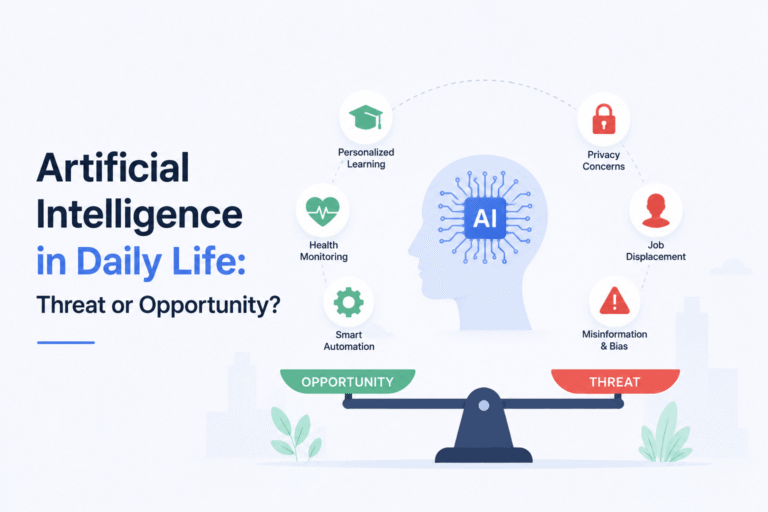
Artificial Intelligence in Daily Life: Threat or Opportunity?

Look around you: AI is no longer a futuristic concept straight out of a science fiction movie. It has quietly woven itself into the fabric of our daily routines. From the moment we unlock our smartphones with facial recognition to the personalized recommendations we see on Netflix, Spotify, or YouTube, Artificial Intelligence (AI) is constantly working behind the scenes.

Yet, as AI technology advances at an unprecedented pace, a fundamental debate has taken center stage: Is AI a threat to our society, or is it the greatest opportunity of our time?

How AI Has Already Become Part of Our Daily Routine

Whether we explicitly realize it or not, most of us interact with AI multiple times a day. Here are a few common examples:

  • Smart Devices & Assistants: Virtual assistants like Siri, Google Assistant, and Alexa help us manage schedules, set alarms, and control smart home devices.
  • Content & Social Media: Algorithms analyze our viewing habits to curate tailored newsfeeds, video recommendations, and targeted advertisements.
  • Smart Content Creation & Productivity: Generative AI tools assist millions of students, writers, and designers daily—helping them draft emails, write code, optimize workflows, and generate visual concepts in seconds.
  • Navigation & Commuting: Apps like Google Maps use real-time data and predictive AI algorithms to suggest the fastest routes and avoid traffic congestion.

The Threat: Why Are People Worried?

The rapid rise of AI has naturally sparked anxiety across various industries and communities. The main concerns usually revolve around three key areas:

1. Job Displacement

The biggest fear is automation replacing human labor. From customer support agents and copywriters to entry-level coders and graphic designers, many professionals worry that AI tools could render their skills obsolete.

2. Privacy and Data Security

AI systems require vast amounts of data to learn and operate effectively. This raises significant concerns regarding user privacy, data harvesting, and how personal information is stored and utilized by tech corporations.

3. Misinformation and Ethics

With the rise of deepfakes and advanced text-generation models, creating convincing fake news, imagery, and audio has become easier than ever. Misuse of this technology poses a serious threat to digital trust and security.

The Opportunity: Why the Future Looks Bright

While the concerns are legitimate, history shows that every major technological revolution—from the steam engine to the internet—initially caused disruption before creating far greater value. AI brings extraordinary opportunities to elevate human potential:

+-----------------------------------------------------------------------+
|                       THE DUAL NATURE OF AI                           |
+------------------------------------+----------------------------------+
|              THREATS               |          OPPORTUNITIES           |
+------------------------------------+----------------------------------+
| • Job displacement in routine roles| • Massive boost in productivity  |
| • Privacy and data security risks  | • Enhanced creative workflows    |
| • Spread of deepfakes & fake news  | • Automation of tedious tasks    |
+------------------------------------+----------------------------------+

1. Unprecedented Productivity

AI isn’t necessarily here to replace humans; it’s here to automate repetitive, mundane tasks. By handling routine data entry, basic research, or administrative work, AI frees up human time for creative problem-solving, strategic thinking, and innovation.

2. Advancements in Healthcare and Science

AI algorithms are analyzing medical images with high accuracy, assisting in early disease detection, and accelerating the discovery of new life-saving drugs—achieving in weeks what used to take years.

3. Personalized Learning and Accessibility

Educational platforms use AI to adapt to individual learning speeds, offering customized guidance to students worldwide and bridging educational gaps across regions.

Threat or Opportunity? The Verdict

So, is AI a threat or an opportunity? The short answer is: it depends on how we choose to adapt.

AI itself is merely a tool—a powerful multiplier of human intent. It lacks human intuition, empathy, emotional intelligence, and genuine strategic vision. The future does not belong to AI alone, nor does it belong to humans who ignore technology.

Bottom Line: AI will not replace humans. However, humans who know how to effectively leverage AI will inevitably outperform those who do not.

Instead of fearing the rise of AI, the best strategy is to embrace it as a personal assistant. Learn how to use prompt engineering, integrate automation into your daily work, and focus on developing uniquely human skills—like creative strategy, critical thinking, and emotional connection—that no algorithm can truly replicate.